Numero: Number - Data - Call
- 4.1
- Rating
- 10.00M
- Installs
- Free
- Price

 Analysis by App-foxy
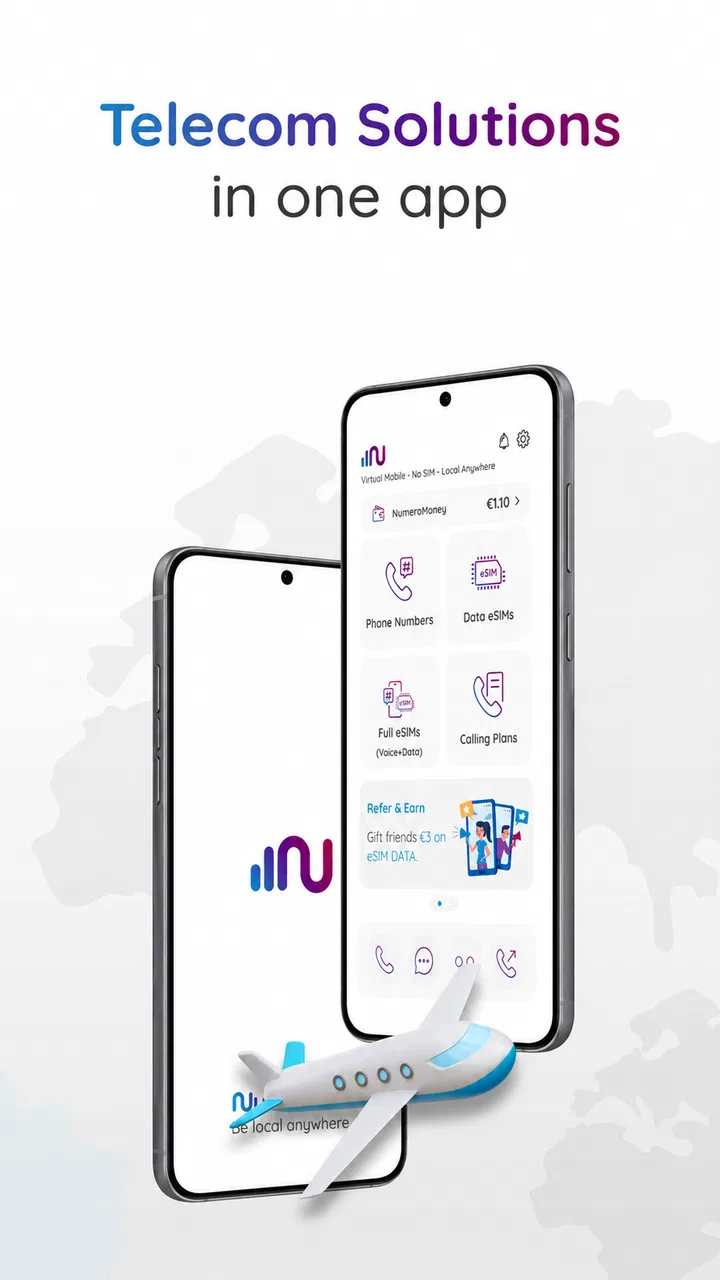
I tested Numero as a practical communication tool rather than treating it like a replacement for my main phone. Its appeal is straightforward: it brings a second phone number, eSIM mobile data, and international VoIP calling into one free app. That combination makes it useful for people who travel, separate work from personal conversations, or need a temporary communication line without carrying another handset.
The important detail is that Numero is not just another internet-calling app. I found its value in the way its different parts can work together. A second number can handle a specific purpose, eSIM data can keep a compatible phone connected abroad, and VoIP calling can reduce the need to use traditional international calling. The experience is still dependent on your device, network, destination, and the particular service you choose, so it rewards a little planning.
Developed by Smarteletec S.L., the app sits in the communication category and has built a substantial user base. It has more than ten million installs, with an average rating of 4.1 from roughly 140 thousand ratings. Those figures suggest a service that many people find useful, while also hinting that the experience can vary depending on expectations and use case.
You May Also Like

 Blood Strike: 2.5 Anniversary
Blood Strike’s Loadouts Turn Every Drop Into a Tactical Gamble
A close look at Blood Strike’s custom loadouts: how fast access to signature weapons reshapes its battle royale rhythm, rewards preparation, and narrows the gap between fights.

 Pandora - Music & Podcasts
Pandora’s Music Is Easy to Start, but Harder to Recover
Pandora’s strength is its low-effort path from a seed to a station. Its weak spot is how much confidence it asks you to place in connection, setup, and quiet recovery.

 8 Ball Pool
 Is Built on Rivalries, Rematches, and Routine
A close look at the rivalries, rematches, shared routines, and unanswered safety questions that turn a quick pool match into a persistent mobile community.

 Samsung Music
’s Quiet Strength Is Playing What You Already Own
Its reach comes less from spectacle than from dependable access to a personal library. That simplicity is both the app’s strongest retention engine and its ceiling.

 AccuWeather: Weather Radar
AccuWeather Review: A Quick, Clear Forecast for Everyday Decisions
For everyday plans, the best forecast is the one you can understand quickly. AccuWeather makes rain timing, radar, and local conditions easy to act on, with a few trade-offs.

 Hill Climb Racing
Why Hill Climb Racing Still Turns Crashes Into One More Run
A tiny car, a bumpy hill and one more upgrade: Hill Climb Racing keeps resurfacing because its simple chaos makes every near-miss feel personal.
More From Our News Desk



How I would build a reliable Numero routine
I would make each Numero setup deliberate: choose one purpose for the line, note which people or services should use it, then test incoming and outgoing communication before relying on it. I’d also keep a simple record of any purchase and the role it serves, so a later change doesn’t leave me guessing which option supports which need. This routine keeps the convenience while making it easier to spot where a problem begins.
Start with one clear reason for the second number
My first recommendation is to decide what the extra number is supposed to do before buying anything inside the app. I would not begin by collecting numbers or activating options simply because they are available. A second line works best when it has a defined role: separating freelance contacts from family, keeping marketplace conversations away from a personal number, or maintaining a communication channel while moving between countries.
This simple decision affects how convenient the app feels later. If the number is for work, I can keep its conversations and calls associated with that role. If it is for travel, I can think about the number together with mobile data and calling costs. If it is temporary, I should avoid treating it as a permanent identity for accounts or services that may require long-term access.
That last point is especially important. A second number is not automatically equivalent to a full mobile contract. I would check whether the services I need accept it, particularly when signing up for financial, government, or security-sensitive accounts. Numero can be a useful communication layer, but I would not assume every verification system treats app-based numbers exactly like a conventional carrier line.
A realistic everyday scenario
Imagine I am spending several weeks abroad while keeping my usual number active. I can use Numero to create a separate channel for local contacts and use compatible eSIM data rather than relying entirely on roaming. When I need to call internationally, I can use the app’s VoIP option instead of making every call through my normal carrier. The practical benefit is not one magical feature; it is having these choices in one place.
In that situation, I would set everything up before leaving home, while I still have dependable Wi-Fi and access to my regular phone account. I would test the number, confirm that the eSIM is supported by my device and destination, and make a short test call. This preparation matters more than it might seem. Travel is the worst time to discover that a phone is locked, an eSIM cannot be installed, or a contact expects a different kind of number.
I would also keep my primary line available for important account access. Numero is more useful as a second layer than as the only communication method. That approach gives me flexibility without making one app responsible for every call, message, and recovery process in my life.
What the free download really means
Numero is free to download, but that does not mean every service inside it is unlimited or included at no cost. The app offers in-app purchases ranging from $0.59 to $224.99 per item. I would treat the free installation as a chance to inspect the available options and understand the pricing before committing to a number, data package, or calling service.
For occasional use, I would start with the smallest sensible purchase rather than choosing a large package immediately. That gives me a chance to judge call quality, number suitability, and how often I actually use the service. Frequent travelers may value the convenience enough to spend more, but the right choice depends on usage rather than the size of the package.
I also recommend checking the purchase screen carefully each time. Communication apps can combine several kinds of paid services, and a number, data allowance, and calling credit are not necessarily interchangeable. Keeping those purposes separate makes it easier to understand what I am paying for and prevents me from assuming that one purchase covers everything.
Settings I would check before regular use
The first settings check is device compatibility. The current version is 18.70 and requires at least iOS or Android equivalent to version 9. That minimum is modest, but an operating system requirement alone does not guarantee that every eSIM function will work on every phone. Hardware support, carrier restrictions, and regional availability can still matter.
Before relying on the app, I would confirm that my phone supports eSIM and that it is not restricted by a carrier. I would also make sure I understand how the phone chooses between the primary SIM and the eSIM for mobile data. A careless selection can lead to using the wrong line, especially when traveling. The best setup is one I can explain in a sentence: which line handles calls, which line handles data, and when I want each one active.
Next, I would review notification behavior. A second number is only useful if I notice incoming calls or messages at the right time. At the same time, constant alerts can become annoying when the number is used for occasional contacts. I prefer a deliberate schedule: active notifications during working hours for a work line, and quieter alerts for a temporary travel number unless I am expecting something important.
Battery and background behavior deserve attention too. I would not assume that leaving every communication option active is the most efficient arrangement. If I am not using the second line for a few days, I can reduce unnecessary interruptions and preserve a cleaner notification panel. When I need it again, I can restore the settings instead of letting an unused number compete with my primary communications.
Finally, I would keep account access organized. I would record which number is used for which purpose and avoid casually changing numbers after connecting them to important services. The app can simplify having multiple communication identities, but it does not remove the responsibility of remembering where each identity is used.
Small habits that make the app faster
Experienced use is less about tapping quickly and more about repeating a sensible sequence. I would create a short setup checklist for every new number: name its purpose, test incoming communication, test outgoing communication, check data selection, and note the purchase terms. Once that routine becomes familiar, activation stops feeling like an experiment.
For travel, I would prepare a contact note with the number I want people to use, the period when it will be active, and the best way to reach me. This avoids the common problem of giving someone a new number without explaining whether it is for calls, messages, or temporary contact. It also helps me avoid mixing a travel identity with my personal address book.
For work separation, I would use the second number consistently rather than switching between it and my private line. Consistency is the hidden advantage. If clients, sellers, or one-off contacts always receive the same dedicated number, I can identify the context immediately and decide when that line should be answered.
Another useful habit is to test calling under the same conditions in which I expect to use it. A call over strong home Wi-Fi may feel fine, while a call over crowded public data may be less comfortable. I would make a brief test from the hotel, apartment, or office where I expect to work, then keep a backup method ready for urgent conversations.
I would also avoid using VoIP as a promise of perfect quality. Internet calling can be convenient and affordable, but it depends on the connection. If a call matters, I would send a short message first or arrange a time when both sides are likely to have stable internet. That small adjustment prevents the app from being blamed for a weak network.
Where Numero compares well with usual alternatives
The usual alternative is to buy a second physical SIM or maintain a separate mobile plan. That can be more familiar and may be preferable when I need a traditional carrier relationship, dependable local support, or a number intended for long-term use. The downside is carrying another SIM, changing cards, or managing another contract.
Numero is more flexible when I want several communication tools without adding another physical card. Its combination of second-number services, eSIM data, and international VoIP calling is the main reason I would choose it over a basic calling app. Instead of installing one application for calls and another service for travel data, I can begin with a single communication workspace.
However, a dedicated carrier plan may still be better for people who need predictable coverage, emergency reliability, or a line that must behave exactly like their primary number. Likewise, a simple messaging app may be enough if everyone I contact already uses the same platform. Numero becomes more compelling when I need to reach people outside one messaging ecosystem or when separating identities matters.
There is also a trade-off against free calling platforms. Those can be excellent for app-to-app conversations, but they are less useful when I need to call ordinary phone numbers or present a separate number for a particular purpose. Numero’s broader communication approach is convenient, although convenience does not guarantee the lowest cost for every destination or every call length.
Limits I would keep in mind
The biggest limitation is that the app brings several services together, but each service still has its own practical conditions. A number may be suitable for ordinary communication yet unsuitable for a particular verification process. An eSIM may be useful in one destination and irrelevant in another. VoIP may be affordable, but call quality can change with the network.
I would also be cautious about making the app my only route to urgent help. For critical situations, I prefer a conventional mobile connection and a backup contact method. An app-based service is valuable for convenience and flexibility, not as a reason to remove every other option.
Cost can become another source of friction. The broad in-app purchase range means casual users and heavy users may have very different experiences. Someone who only needs a short-lived second number may find the app practical, while someone making frequent international calls should compare the likely total cost with a local SIM, carrier add-on, or another VoIP provider before settling in.
There is also a small mental overhead to managing multiple identities. I have to remember which line I am presenting, which service is using data, and whether a contact is calling my main number or the Numero line. That is manageable when the setup is intentional, but confusing when I activate features without a clear plan.
Who should use it and who should skip it
I would recommend Numero to travelers who want a flexible communication setup, freelancers who need a boundary between private and professional contacts, and people who occasionally require another number without carrying a second phone. It is also appealing to users who make international calls and prefer having number, data, and VoIP options available in one app.
I would be more hesitant to recommend it to someone who needs one permanent, carrier-backed number for banking, official services, or uninterrupted emergency communication. That person may be better served by a conventional mobile plan, using Numero only as an additional line if needed.
I would also skip it if I only need app-to-app chats with a fixed group of friends. In that case, a familiar messaging platform may be simpler. Numero earns its place when the problem involves phone numbers, travel connectivity, or calls beyond one closed app network.
My final assessment after using the workflow
Numero works best when I treat it as a configurable communication toolkit rather than a complete replacement for a mobile carrier. The second number is the foundation, while eSIM data and international VoIP calling add value when the situation calls for them. The strongest results come from planning the purpose, checking compatibility, testing the connection, and keeping a backup for important calls.
Its age rating is Everyone, which fits the straightforward communication focus, and the app has been available since November 14, 2017. That history, combined with its large install base, makes it an established option rather than a brand-new experiment. Still, popularity does not remove the need to check the details of the specific service I want to use.
My practical verdict is simple: Numero is worth trying when flexibility matters more than having one traditional carrier line. I would install it for a planned travel period, a clear work boundary, or a defined international calling need. I would not activate features randomly, and I would not assume that a second app-based number can replace every function of my primary mobile account.
Used with a repeatable setup routine, sensible notification choices, and realistic expectations about network quality and compatibility, it can make a complicated communication arrangement much easier to manage. That is where Numero: Number - Data - Call feels most convincing: not as a universal answer, but as a practical way to add options exactly when my ordinary phone setup is not enough.
FAQs for Numero: Number - Data - Call
01What is Numero: Number - Data - Call used for?
Numero: Number - Data - Call is a virtual phone number service that lets you obtain additional numbers for calling, texting, and, depending on the selected country and plan, mobile data. It can be useful for separating personal and business communications, traveling, protecting your primary number, or accessing services that require phone verification. Available features and supported destinations may vary by region.
02Does Numero provide a real phone number, and can I choose the country?
The app generally provides virtual numbers associated with selected countries rather than a traditional SIM card. During setup, you can browse available destinations and choose from the numbers offered for your account. However, availability, number types, calling capabilities, SMS support, and verification compatibility differ by country. A number may also be reassigned or expire if it is not renewed or used according to the service terms.
03Can I use a Numero number for WhatsApp, Telegram, or account verification?
Numero numbers may work with some messaging platforms and online services, but successful verification is not guaranteed. Many websites reject virtual, VoIP, or previously used numbers, while others may require a mobile number from a specific country. Before purchasing, check the app’s current description and the provider’s supported-service information. Do not rely on the number for critical accounts unless the platform confirms compatibility.
04How much does Numero cost, and are there subscriptions or extra charges?
The app can include free features, but obtaining a number, extending its validity, sending messages, making calls, or using mobile data may require payment. Prices depend on the country, number type, duration, and selected package. Some options may involve recurring subscriptions or in-app purchases, so review the checkout screen carefully for renewal terms, taxes, credit requirements, and cancellation instructions before confirming a purchase.
05Is Numero safe to use, and what should I know about privacy?
Numero can help keep your personal number private, but it should not be treated as completely anonymous or risk-free. Calls, messages, account details, and usage data may be processed by the provider according to its privacy policy and applicable laws. Avoid sharing sensitive information through a temporary number, enable account security where available, and read permissions, billing conditions, and data practices before using the service.
Pros
- Combines caller ID
- spam blocking
- and number lookup in one app.
- Reverse searches can help identify unfamiliar callers before answering.
- Provides useful context for unknown numbers
- including possible business details.
- The interface is generally straightforward for quick searches and call checks.
- Can reduce interruptions by filtering suspected nuisance and scam calls.
Cons
- Some features may require a paid subscription or in-app purchase.
- Caller information can be incomplete
- outdated
- or incorrectly matched.
- Spam detection quality may vary by country and available database coverage.
- The app may request access to contacts
- calls
- or other sensitive permissions.
- Background caller ID and blocking can increase battery and data usage.

Numero: Number - Data - Call
Gallery